Actions
Bug #4721
closed
BV
BE
Check-Out Button Not Working – User Attendance Failed Message Displayed
Bug #4721:
Check-Out Button Not Working – User Attendance Failed Message Displayed
Start date:
Due date:
% Done:
0%
Estimated time:
Description
Precondition:
The user has successfully completed Check-In and is eligible to perform Check-Out.
Steps to Reproduce:
https://dev.flowzo.ai/dashboard
Login to the CRM.
Navigate to the Dashboard.
Ensure the user is already checked in.
Click the Check-Out button.
Observe the system response.
Actual Result:
The Check-Out button is not working. Instead, a "User Attendance Failed" toaster message is displayed.
Expected Result:
The user should be successfully checked out, and the Check-Out time and attendance details should be recorded without displaying an error message.
Files
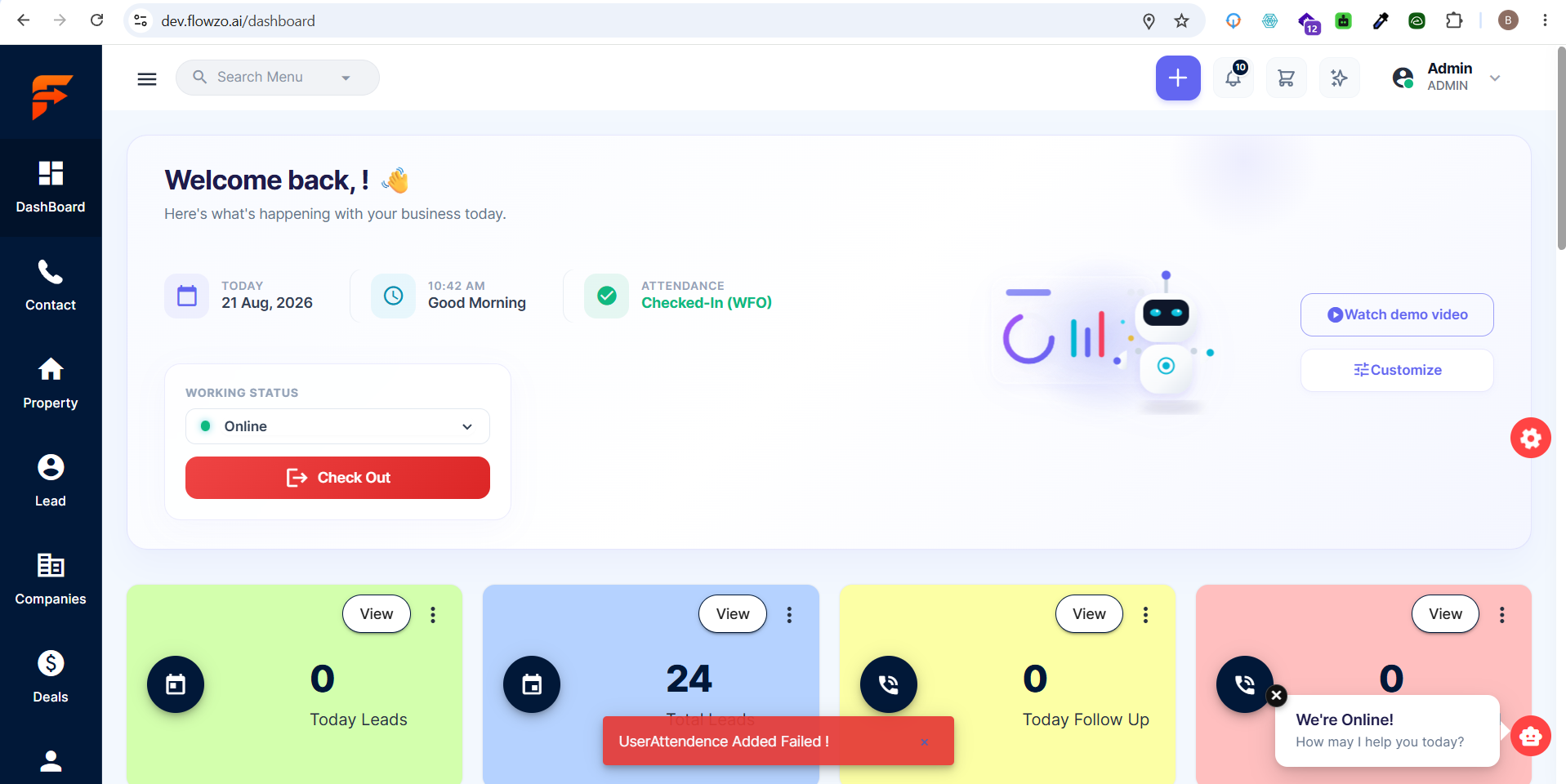
BV Updated by balamurugan V 2 days ago
- Status changed from Resolved to Closed
Actions