Bug #4709
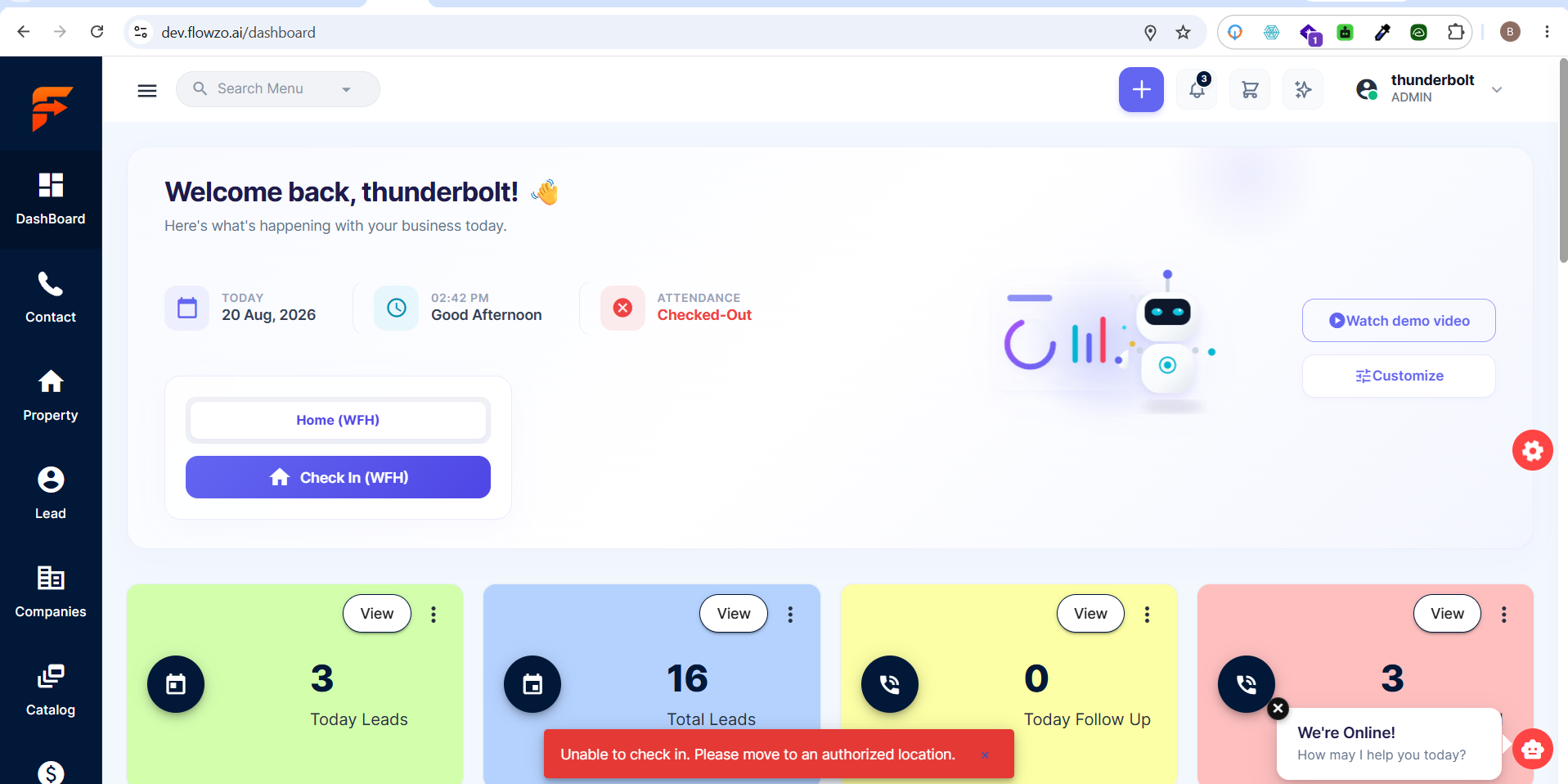
openwebsite : Dashboard – Check-In and Check-Out Not Working on Another Laptop
0%
Description
Precondition:
Location permission is enabled.
The same user account is logged in on two different laptops.
Check-In/Check-Out functionality is available on the Dashboard.
Steps to Reproduce:
https://dev.flowzo.ai/dashboard
Login to the CRM on Laptop 1.
Enable location permission.
Click Check-In.
Verify that Check-In works successfully.
Login with the same user account on Laptop 2.
Enable location permission.
Click Check-In.
Actual Result:
Check-In works successfully on the first laptop, but when the same user logs in from another laptop, Check-In does not work, even though location permission is enabled.
Expected Result:
Check-In and Check-Out should work consistently on any supported laptop when the required location permission is enabled.
thunderbolt@yopmail.com
Welcome@123
Files